移動檔案

移動伺服器檔案位置。

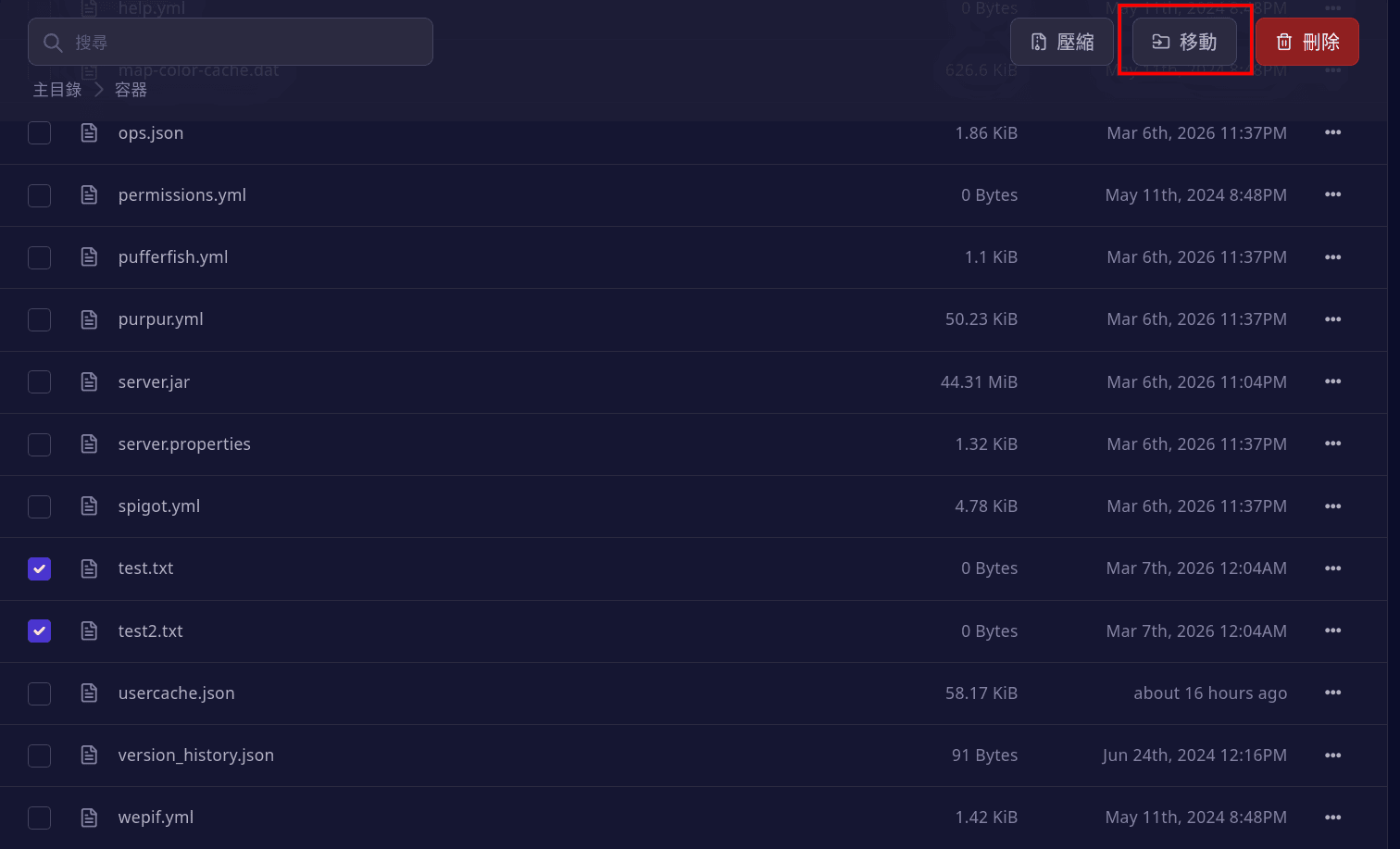
選擇檔案

選擇你要移動的檔案

圖片

點擊移動

點擊「移動」按鈕

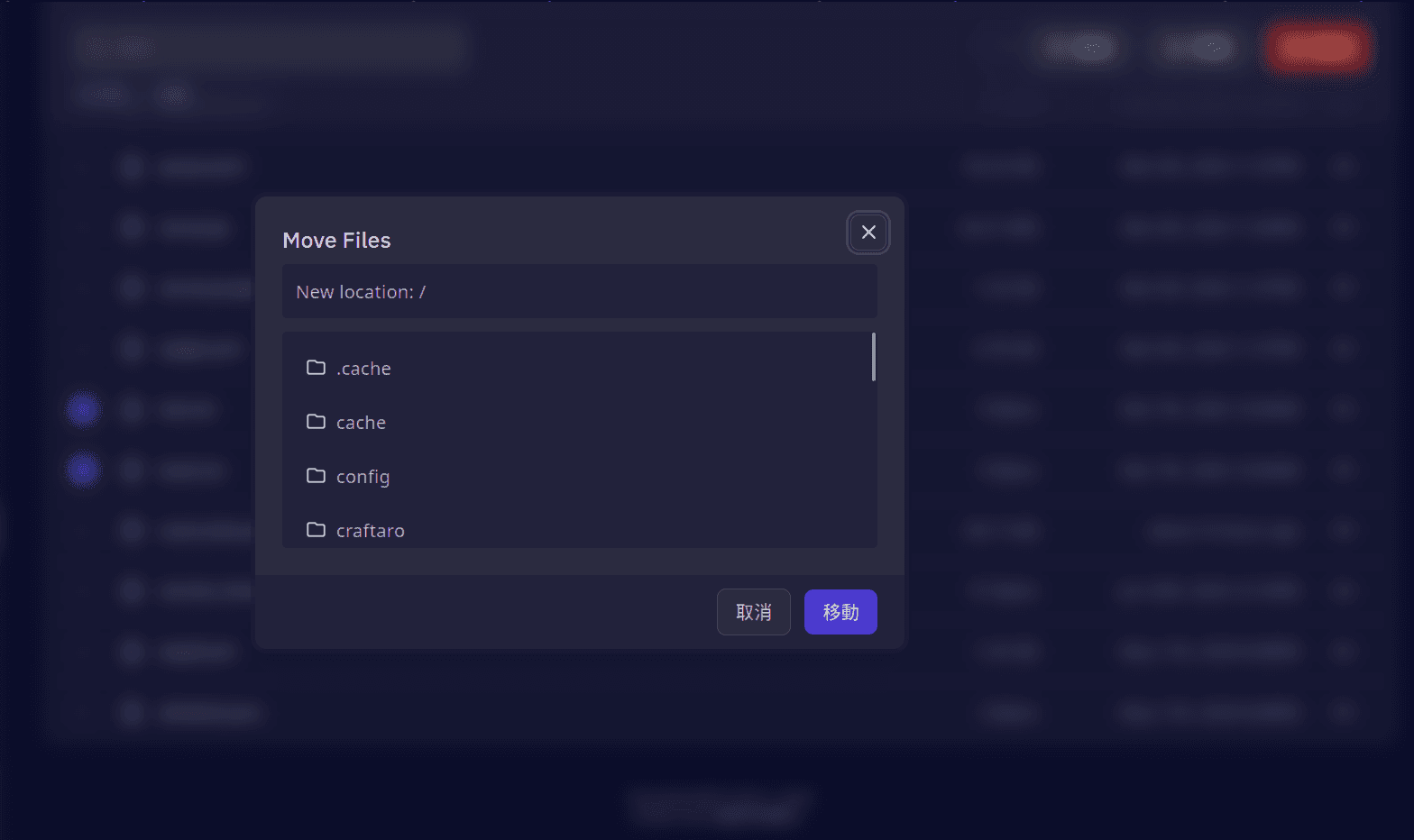
圖片

移動檔案

輸入目標位置的相對路徑,例如檔案在 /home/container/,你想移動到 /home/container/config,那麼輸入 config/ 即可。 圖片

如果檔案在上級目錄,例如檔案在 /home/container/config/,你想移動到 /home/container/,那麼輸入 ../ 即可

「..」 代表上級目錄,如果有多層上級目錄,例如檔案在 /home/container/config/files/,你想移動到 /home/container/,那麼輸入 ../../ 即可。

如果你想移動到上級資料夾的其他資料夾,例如檔案在 /home/container/config/files/,你想移動到 /home/container/config/example/

那麼你該輸入 ../example/ , 「../」 代表上級目錄(/home/container/config/), example/ 代表上級目錄的 example 資料夾

最後更新於

目錄

在 GitHub 上編輯